How We Built an AI That Knows Our Company
Individual AI tools only scratch the surface. At Carewell, we built a shared knowledge system that gives AI permanent memory about our business — and it gets smarter every day. Here's the practical blueprint.
 Fabian Mösli
 Reading Preferences
Key Takeaways
- • It's a system, not expensive software: you don't need to buy costly platforms. A Company AI OS is a collection of plain text files holding your company's information and rules that any team member can update.
- • It stops you from starting at zero: instead of re-explaining your product, customers, and market in every single chat, the AI has a permanent, shared memory of your entire company.
- • It builds a compounding advantage: as your team works, the AI connects dots, spots contradictions or team disagreements, and logs new lessons. The more you use it, the smarter it gets.
In this guide
I’ve been using AI tools daily for over a year. ChatGPT, Claude, Gemini, Perplexity — you name it. They’re incredible. But a few months ago, I realized I was leaving 90% of their potential on the table.
At first, every conversation started from zero. I’d explain my company, my product, my market, my team — again and again. I’d have a breakthrough insight in one chat session and completely lose it by the next.
Then the tools started catching up. Custom GPTs in ChatGPT. Custom Gems in Gemini. Projects in Claude. I started creating knowledge files — company overviews, product descriptions, market context — and attaching them to each tool. This helped a lot. Every time I updated a knowledge file, the quality of output improved noticeably, sometimes by a shocking amount. I could suddenly do things with a model that felt impossible the day before.
But the workflow was brutal. I was using multiple AI tools, each for different strengths, and each had its own way of handling knowledge files. Updating meant editing the file on my computer, deleting the old version from the tool, re-uploading the new one — and doing that across every platform. My knowledge files were constantly outdated because the friction of updating them was so high. Then ChatGPT introduced memories — things it would remember from conversations — and other tools followed. In theory, great. In practice, I had almost no control over what got memorized, and editing or correcting those memories was its own kind of hassle.
Looking back, this was a necessary evolutionary step. It taught me something important: company-specific context is what separates useful AI from impressive-but-generic AI. And it made me feel the pain of a system that has no closed loop — no way to learn from itself, no way to stay current without manual effort. I wanted the compounding effect of better knowledge without the constant manual maintenance.
So I built something different. At Carewell, the Swiss healthcare startup where I’m CPO and Chief AI Officer, I built what I call a Company AI Operating System — a structured knowledge system that gives AI permanent memory about our company, our decisions, and our collective thinking. A system that updates itself as we use it.
The difference is night and day. I went from using AI as a brilliant stranger to making it the most knowledgeable member of our team.
This guide explains why that matters and how you can build your own.
The problem: everyone uses AI, nobody learns from it
Here’s what most companies look like with AI in 2026:
The marketing person uses ChatGPT to draft social media posts. Every time, they re-explain the brand voice, the target audience, the product positioning. The sales lead uses Claude to prep for client meetings. Every time, they paste in the same background about the company and the client. The CEO uses Perplexity to research competitors. The insights live in their browser history and nowhere else. A new person joins the team and starts from absolute zero with AI, just like everyone else did.
I see this everywhere. Every conversation starts from scratch. Every insight evaporates. Your team collectively spends hours every week re-teaching AI things it already learned from someone else, in a different chat window.
It’s like hiring a brilliant consultant who gets amnesia every night.
What a Company AI Operating System actually is
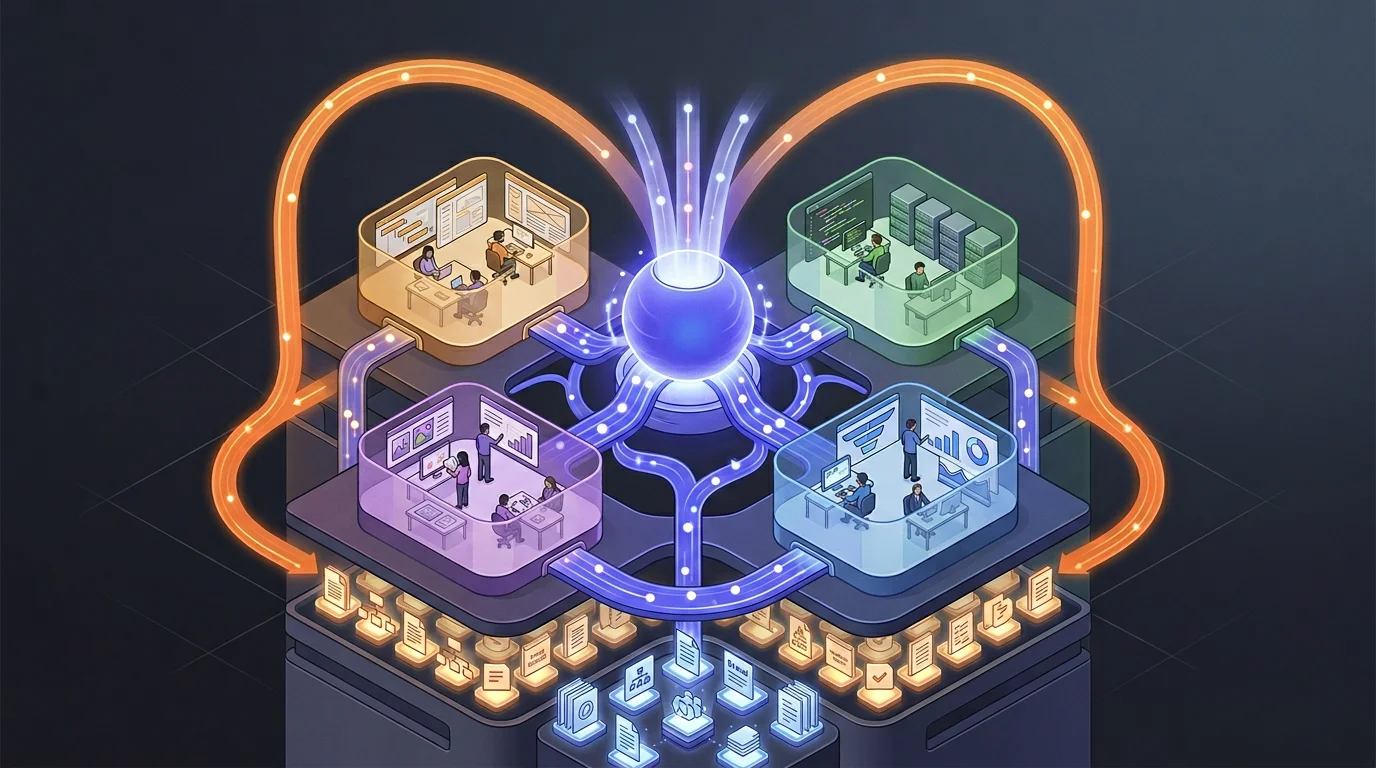
A Company AI OS is a structured knowledge base that gives AI persistent, shared context about your organization. Instead of each person having isolated conversations with AI, everyone works with the same AI “brain” that knows your company deeply and gets smarter over time.
It’s not software you buy. It’s a system you build from three ingredients:
- A knowledge repository — organized information about your company (product, market, sales, operations, strategy) stored as plain text files
- Instruction files — rules that tell the AI how to behave, what to cite, when to be cautious, and how to interact with your team
- Learning loops — habits and integrations that feed new knowledge back into the system every day
Think of it this way: ChatGPT is a brilliant new hire who knows everything about the world but nothing about your company. A Company AI OS is that same intelligence, but loaded with deep knowledge about your specific business — your product, your customers, your competitors, your decisions, your team’s expertise.
And critically, it’s shared. When your sales lead learns something in a client meeting, that knowledge becomes available to everyone on the team through the AI — not trapped in one person’s notes.
Why it’s worth the effort
Context drives quality
There’s a direct relationship between the specificity of what you give AI and the quality of what you get back. Generic input, generic output.
When I ask a standalone ChatGPT “How should we position against competitors in the Swiss healthcare staffing market?” — I get a reasonable but generic answer about differentiation strategies.
When I ask our AI OS the same question, it pulls from our documented competitor analysis of six specific companies. It also checks our regional sales playbooks, product roadmap, pricing strategy, and recent client notes. The answer is ours, grounded in things only we know.
It compounds
This is the part that gets me excited. Client meeting summaries feed into the system. Every product decision is recorded with its rationale. We capture competitive insights and log team disagreements.
After a few weeks, your AI knows things no single person on your team knows. It’s read every competitor battlecard, every decision record, every insight from every meeting. It connects dots across domains that no individual would think to connect.
Three months in, the gap between this and a blank ChatGPT conversation is enormous. That gap is your competitive advantage — and it grows every day. I wrote more about why this gap is so hard to close later.
Institutional memory that actually works
Every company says they value documentation. Almost none of them do it well. Meeting notes go into a Google Doc that nobody reads. Decisions are made in Slack threads and forgotten. Strategic reasoning lives exclusively in the founder’s head.
A Company AI OS solves this not by asking people to document more, but by making documentation a natural byproduct of working with AI. When you have a strategic conversation with the AI, it offers to capture the key decisions. When someone contradicts existing knowledge, the system flags it. When knowledge gets stale, the system notices.
The result: your company’s institutional memory actually works, and it’s always accessible through a simple question.
When the AI catches your team disagreeing
Here’s something I didn’t expect to be so valuable: the system detects when team members hold conflicting views.
Our CEO believes AI should primarily accelerate execution but not drive creative strategy. I believe AI can produce genuinely novel insights when given specific enough context. Both perspectives were captured in the knowledge base from separate conversations.
The system flagged this as a “divergence.” Not to create conflict, but to surface a philosophical difference that has practical implications for how we train our team and design our workflows. Instead of this disagreement simmering unspoken for months, it became a structured discussion with both positions clearly articulated.
Most companies have dozens of these hidden disagreements. They slow everything down because people work from different assumptions without realizing it.
What it looks like day-to-day
Let me show you what actually changes. These are real scenarios from Carewell.
Preparing for a client meeting: Our sales lead asks the AI: “Brief me for my meeting with Hospital X tomorrow.” The AI pulls from the client’s history with us and notes from recent interactions. It identifies which competitor is pitching them, matching product capabilities, and relevant regional market dynamics. What used to be 30 minutes of digging through emails becomes a 30-second question.
A new team member asks about regulations: “What are the licensing requirements for temporary staffing in Vaud?” The AI answers from the knowledge base — but because this is flagged as a regulatory domain, it automatically adds: “This is a regulatory matter. Verify with the compliance team or check the current SECO guidelines before acting on this.” The system knows which topics are high-risk and adjusts accordingly.
End-of-day knowledge capture: Every evening at 17:00, each team member gets a low-friction prompt via our team chat: “What did you work on today? Any insights worth capturing?” Takes one to three minutes. It’s fine to skip a day. Even a one-sentence answer is valuable. The AI structures these into a weekly team summary — who’s working on what, where efforts overlap, what insights emerged. Our leadership team now has a pulse on the whole company that would have required a weekly all-hands meeting to get otherwise.
The AI catches contradictions: A team member states a market assumption. The AI flags: “This differs from what’s documented in our market analysis from two weeks ago. Here’s the existing view versus yours. Should I create a divergence record, or update the existing knowledge?”
The point isn’t to be pedantic. It keeps the knowledge base accurate and makes sure different perspectives get surfaced instead of buried.
The Flywheel
The real value isn’t in the initial setup — it’s in how the system gets smarter over time.
Knowledge goes in through daily rituals, session captures, meeting summaries, team conversations. Every interaction is a chance for the system to learn something new.
Better answers come out because the AI has more context, more history, more cross-domain knowledge. The answers get noticeably better week over week.
Trust increases as the team sees the AI giving company-specific answers instead of generic advice. They start using it more.
More knowledge goes in because people trust the system and want to feed it. The CEO shares a strategic insight. The sales lead captures a client conversation. The operations manager documents a new workflow.
And it keeps going.
But the flywheel also needs self-correction:
- Gap tracking: Every time the system can’t answer a question, it logs the gap. After a month, you have a clear map of what knowledge is missing.
- Freshness monitoring: Knowledge goes stale. Competitor analysis goes stale monthly. Regulatory information needs event-triggered updates. The system flags when entries are past their review date.
- Divergence surfacing: Conflicting views between team members get captured and surfaced for discussion, not left to fester.
- Error tracking: When the AI gives a wrong answer, the correction is tracked. Patterns in errors reveal systematic gaps.
How to Actually Build the Knowledge
The architecture — folders, files, instruction files — is maybe 20% of the effort. The other 80% is filling the system with knowledge worth having. And “just document everything” doesn’t work. People don’t know what they know, and they don’t know what’s missing.
Here’s the four-phase process that worked for us.
Phase 1: Deep research. Before interviewing anyone, we built an external knowledge base. Dozens of deep research sessions using Perplexity to map our market comprehensively — every potential client segment, every competitor, the regulatory environment, applicable laws. All synthesized and stored as structured Markdown files. I wrote a separate guide on this research workflow if you want the details.
Phase 2: AI interviews. This is the counterintuitive part. Instead of me writing documentation, I had the AI interview me. Not me asking questions; the AI asking me questions. Dozens of rounds, covering product, strategy, operations, vision. It pulled out tacit knowledge I hadn’t thought to document: assumptions I was operating on, connections between decisions I’d never explicitly stated. Things that would have been lost if I’d tried to write them down from scratch.
Phase 3: Team questionnaires. Once the AI had a foundation from my interviews, it generated customized questionnaires for every leadership team member. Not generic surveys — targeted questions based on each person’s role and what gaps remained in the knowledge base. Our CEO answered 35 questions. Several of them made him articulate things he’d never shared with the team before.
Phase 4: Divergence detection. The AI compared everyone’s answers and found six places where leadership team members had fundamentally different views about the company’s direction. Real, substantive disagreements with practical implications that nobody had surfaced. We scheduled focused discussions and resolved each one. What might have simmered unspoken for months got addressed in structured conversations.
I’ve written a full guide on this knowledge extraction process — from the simple “ask me 5 questions” technique you can try today, to the complete team-level extraction that transforms how a company thinks about its own knowledge.
How to Build Your Own
Here’s a step-by-step based on what we built at Carewell. I’ll be specific about our tools, but the architecture is tool-agnostic — adapt it to whatever AI platform you prefer.
Step 1: Choose your AI backbone
You need a platform that supports project context — the ability to load files and instructions that persist across conversations.
My recommendation: Claude with Claude Code. Claude supports instruction files (called CLAUDE.md) that define how the AI behaves for your project. Claude Code gives you a terminal-based interface that works directly with your file system — perfect for a knowledge repository stored in Git. For a deep dive into the full Anthropic ecosystem, see my Claude ecosystem guide.
Alternatives: You can build something similar with ChatGPT using Custom GPTs and Projects, though the file management is less flexible. The key requirement is persistent project context — not just individual conversation memory.
Step 2: Set up your knowledge repository
Create a Git repository with a folder structure organized by knowledge domain:
company-ai-os/
├── knowledge-base/
│   ├── product/          # What you're building
│   ├── market/           # Competitors, market dynamics
│   ├── sales/            # Playbooks, client insights
│   ├── company/          # Strategy, values, OKRs
│   ├── operations/       # Processes, automations
│   └── technical/        # Infrastructure, tools
├── memory/
│   ├── decisions/        # What was decided and why
│   ├── insights/         # Learnings and analysis
│   └── divergences/      # Where the team disagrees
├── team/
│   └── profiles/         # Who knows what, working styles
└── templates/            # Reusable formats for entries
Everything is plain markdown files. No proprietary formats, no databases, no special software. Markdown in Git gives you version history (who changed what, when), collaboration (multiple people can contribute), and portability (if you switch AI platforms, your knowledge comes with you).
Start small. Don’t try to document everything on day one. Begin with whatever domain you know best — probably your product or your company overview. One well-written file is more valuable than twenty empty folders.
Step 3: Write your instruction files
This is the brain of the system. Instruction files tell the AI who it is, how to behave, and what rules to follow. In Claude’s ecosystem, these are CLAUDE.md files placed at the root and in subdirectories.
Your root instruction file should cover:
Identity and purpose: “You are the AI backbone of [Company Name]. This repository is the company’s shared knowledge base and institutional memory.”
Behavioral rules: How should the AI communicate? At Carewell, we configured ours to be direct, to challenge assumptions, and to offer first-principles breakdowns for complex questions.
Anti-hallucination protocols: This is critical. Configure the AI to:
- Cite its source for every factual answer
- Use confidence levels: “verified” (cross-checked), “working assumption” (believed correct but not validated), “needs validation” (potentially outdated)
- Add mandatory warnings for high-risk domains (regulatory, legal, client commitments)
- Say “I don’t have reliable information on this” when it doesn’t know
Language and tone: Important for multilingual teams. We configured ours to accept input in English, French, and German, respond in the user’s language, and use Swiss German conventions for German output.
Sub-directory instruction files provide domain-specific context. For example, your knowledge-base/regulatory/CLAUDE.md might say: “This domain contains regulatory information. Always include a verification warning. Suggest the user check with [Legal Contact] before acting on any regulatory guidance.”
Step 4: Build your institutional memory
Beyond current knowledge, your AI OS should capture how your company thinks over time. Three memory types:
Decision records: When an important decision is made, capture what was decided, what alternatives were considered, why this option won, and what the implications are. Six months later, when someone asks “why did we do it this way?” — the AI has the answer.
Insights: Learnings from research, customer conversations, experiments, analysis. Not decisions, but observations that inform future decisions.
Divergences: Where team members disagree. This sounds uncomfortable, but it’s gold. Frame it constructively: “View A (held by Person A): We should focus on enterprise clients. View B (held by Person B): SMBs are our path to growth. Here’s the reasoning behind each.” A divergence is a signal that needs discussion, not a problem to hide.
Step 5: Set up intake channels
The biggest risk with any knowledge system is that nobody feeds it. The solution: make it absurdly easy to contribute, and meet people where they already work.
For power users (technical team members, the AI champion): Direct sessions with Claude Code or Claude Desktop. They work directly with the repository.
For everyone else: Integrate with your existing communication tools. At Carewell, we built a bot in our team chat that lets anyone @mention the AI to ask questions or contribute insights. The AI asks follow-up questions, structures the input, and submits it to the repository for review.
Whether your team uses Slack, Teams, or something else — the principle is the same: don’t ask people to adopt a new tool for knowledge contribution. Bring the AI to them.
The end-of-day ritual: Every evening, each team member gets a message:
“What did you work on today? Any insights worth capturing?”
Two questions. One to three minutes. It’s fine to skip a day. The AI structures responses into worklog entries and generates a weekly team summary.
The design principle: pull over push. Make the system so useful that people want to feed it.
Step 6: Integrate with your existing tools
Your AI OS becomes much more useful when it can access your operational tools — but start read-only.
Project management (Jira, Linear, Asana): Connect read-only so the AI can answer “What’s in the current sprint?” or “What’s the status of feature X?” At Carewell, we use Atlassian’s integration protocol (MCP server) to give Claude direct read access to Jira and Confluence.
Documentation (Confluence, Notion, Google Docs): Let the AI reference your existing docs. This bridges the gap between your AI OS and your current tools without requiring a migration.
Team chat (Slack, Teams, etc.): Beyond the bot for Q&A, set up automated capture for specific channels. When someone shares a competitive insight in your sales channel, the AI can offer to capture it.
Automation middleware (n8n, Zapier, Make): Use these to wire everything together — scheduled freshness checks, daily ritual prompts, meeting transcript processing, weekly digests. We use n8n because it’s self-hosted and has no per-execution cost.
Start read-only. Let the AI read from your tools but not write to them. Add write capabilities only after you trust the system, and always with human approval.
Step 7: Don’t put all your eggs in one model
At Carewell, we use different AI systems for different jobs:
| Layer | AI System | Why |
|---|---|---|
| Organizational intelligence (the AI OS) | Claude | Best project context system, instruction file hierarchy, long-context reasoning |
| Individual productivity (email, docs, sheets) | Gemini in Google Workspace | Native integration, zero setup, great for personal tasks |
| Customer support chatbot | Cost-optimized model | High volume, simpler queries, lower cost per interaction |
| Document research | NotebookLM | Purpose-built for deep-diving into uploaded documents |
A Git-based knowledge repository is model-agnostic at the data layer. Your markdown files work with any AI system. If a better model comes along tomorrow, you switch the engine without losing a single piece of knowledge.
Use the best tool for each job.
What to Watch Out For
I’ll be honest about the mistakes you can make, because I’ve either made them or nearly made them.
Don’t start too big. The temptation is to create a beautiful folder structure with twenty knowledge domains on day one. Resist it. Start with one or two domains you know well, fill them with real content, and prove the system is useful before expanding. Empty folders are worse than no folders — they signal a system that’s all structure and no substance.
Don’t mandate adoption. This is the most important lesson. At Carewell, we previously tried mandating ClickUp. The team ignored it. With the AI OS, we took the opposite approach: I made sure it was useful for me first, then showed others what it could do. People adopt tools that make their lives easier, not tools they’re told to use. I wrote a whole piece on why push doesn’t work.
Don’t skip the instruction files. Without clear behavioral rules, your AI gives generic, cautious, corporate-sounding answers. The instruction files are what transform it from “a general AI with access to some documents” into “a knowledgeable team member who understands how we work.” Invest serious time here.
Don’t forget freshness. Knowledge goes stale. Your competitor analysis from three months ago might be dangerously wrong today. Build freshness expectations into your system from day one — tag every entry with how often it should be reviewed.
Don’t store sensitive personal data. Keep candidate personal information, patient data, detailed financial records, and credentials out of the system. A Company AI OS should contain organizational knowledge, not personal data that creates privacy and security risks.
Who should build this, and who shouldn’t yet
This makes sense if:
- You have a team of 5–50 people where knowledge sharing is a bottleneck
- Your leadership team is already using AI individually and seeing value
- You have at least one person willing to be the “AI champion” who builds and maintains the system
- You’re growing and worried about knowledge getting lost as the team scales
Hold off if:
- Your team hasn’t started using AI individually yet. Start with the Getting Started guide first. People need to experience AI’s value personally before they’ll trust a shared system.
- Nobody is willing to maintain the system. An AI OS without a champion becomes an abandoned repository within weeks.
- You’re a solo founder. A personal knowledge system might be enough. The company-level system becomes valuable when there’s knowledge to share between people.
Building this takes real effort upfront. At Carewell, it took roughly two to three weeks of focused work to set up the foundation, migrate existing knowledge, and onboard the management team. The payoff is significant, but it isn’t instant. You need patience and a willingness to invest before the returns start compounding.
What’s Next
We’re about a month into our AI OS at Carewell, and it’s already changing how we work. The AI gives answers that feel like they come from a senior colleague who’s been at the company for years, not a generic chatbot. Our team’s knowledge is accumulating instead of evaporating. Disagreements get surfaced and discussed instead of festering.
The competitive advantage isn’t having access to AI — everyone has that now. The advantage is having AI that knows your company. That knows your market. That remembers what you decided six months ago and why. That connects insights across your entire team’s collective experience.
And unlike a chatbot conversation, it gets more valuable every single day.
One thing worth watching as your system matures: the sycophancy problem. The better your AI knows your company, the more you’ll rely on it for strategic thinking — and that’s exactly where uncritical validation becomes dangerous. Make sure your system instructions include the kind of structured pushback framework described in that guide.
If you want to follow our journey, subscribe to the newsletter. I’ll share updates as we expand the system and learn from our mistakes.
Tools referenced in this guide:
- Claude — AI backbone for the knowledge system
- Claude Code — Terminal-based interface for power users
- ChatGPT — Alternative AI platform
- Perplexity — AI-powered research
- NotebookLM — Document research tool
Published: 2026-02-22
Last updated: 2026-06-30