Code vs. Automation vs. AI: Picking the Right Tool for Each Job
Not everything needs AI. Not everything needs custom code. Here's the framework I use to decide what goes where — and why getting this wrong wastes more time than not using AI at all.
 Fabian Mösli
 Reading Preferences
Key Takeaways
- • Don't throw AI at everything. It's terrible at math and exact precision, so salary calculations, contract generation, and core transactions belong in code or workflow automation.
- • Reach for AI when the task needs language or judgment. Customer support, CV screening, and drafting personalized work certificates all need interpretation where a rigid formula falls apart.
- • The real win is wiring the layers together: code for the core logic, a workflow engine like n8n to move data reliably, AI for the judgment steps, and a human for the final strategic calls.
In this guide
When I first got excited about large language models, I wanted to throw AI at everything. Customer service? AI. Contract generation? AI. Invoice processing? AI. Data quality checks? AI.
It took me a few expensive lessons to realize: AI for everything is as wrong as AI for nothing.
Some tasks need the precision of custom code. Some need the reliability of deterministic automation. And some genuinely need the judgment that only AI provides. The hard part is knowing when not to reach for AI.
Here’s the framework I use every day.
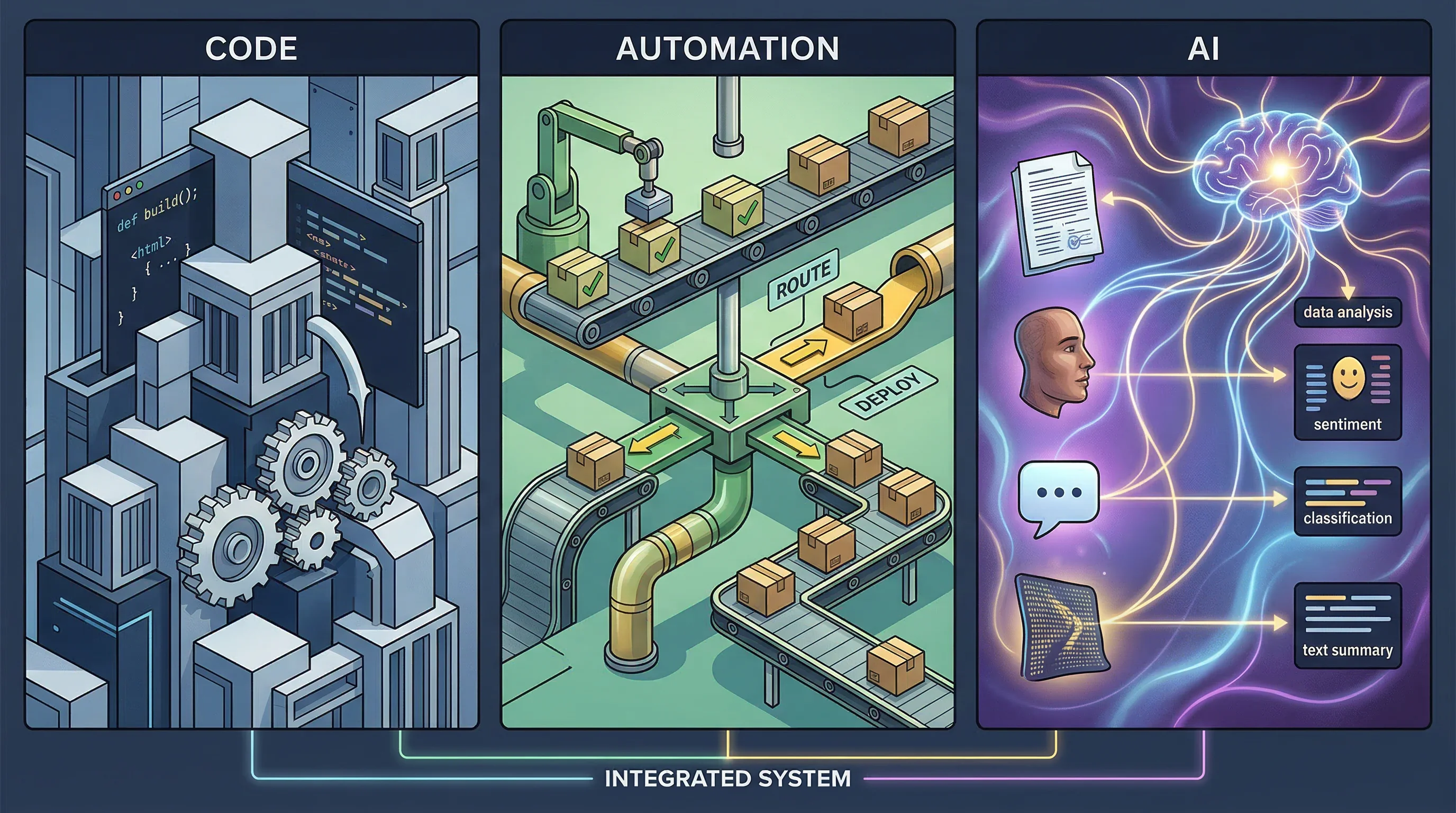
Three tools, three jobs
Code: when you need a master system
Custom application code is for core business logic. The things that define your product, that need to be exactly right every time, and that you need to own completely.
At our company, this includes:
- The matching algorithm that pairs healthcare professionals with institutions
- Pricing and salary calculations
- Platform features that users interact with directly
- Data models and business rules that govern how everything works
These need full determinism. When you calculate someone’s salary, “approximately correct” isn’t an option. When you match a nurse to a hospital shift, you need to check qualifications, availability, preferences, and contractual terms — every time, the same way, with zero ambiguity.
Custom code also means you own it forever. No vendor dependency, no API changes breaking your core business, no monthly fees that scale with usage.
Use code when: the logic is deterministic, it’s core to your business, and you need total control.
Automation: when it needs to run reliably without thinking
Workflow automation — tools like n8n, Zapier, or Make — is for repeatable processes that need to happen the same way every time but don’t warrant custom code.
At Carewell, our automation layer handles:
- Hundreds of employment contracts generated per week (each in about 45 seconds)
- Electronic signature workflows
- Invoice generation
- Data quality alerts
- Scheduled reports and notifications
None of this needs AI. A contract is generated from structured data using a template. An invoice follows a formula. A signature workflow has defined steps. These processes should be boringly reliable. The same input should always produce the same output.
Using AI for contract generation would be like hiring a poet to fill out tax forms. Technically possible, creatively impressive, occasionally wrong in ways that get you sued.
Use automation when: the process is repeatable, the output is deterministic, and reliability matters more than flexibility.
AI: when judgment is required
AI is for tasks where you need language understanding, pattern recognition, or dealing with ambiguity — things that don’t have a single correct answer derivable from a formula.
In our operations, AI handles:
- Customer support — our chatbot answers questions 24/7 in natural language
- Applicant screening — reading CVs and matching capabilities to requirements
- Demand prediction — forecasting which institutions will need staff and when
- Preference learning — understanding over time what each professional likes and dislikes about assignments
- Generating competency descriptions for work certificates
These tasks share a common trait: they require judgment. There’s no formula that tells you whether a nurse is a good fit for a particular team culture. There’s no decision tree that handles every possible customer question. AI brings the flexibility to handle ambiguity — at the cost of occasional imprecision.
Use AI when: the task involves language, judgment, ambiguity, or pattern recognition that can’t be reduced to a formula.
The five layers
When I zoom out and look at our entire technology stack, I see five conceptual layers:
┌──────────────────────────────────────┐
│  HUMAN LAYER                         │
│  Decisions, relationships, creative  │
├──────────────────────────────────────┤
│  AI LAYER                            │
│  Judgment, language, analysis        │
├──────────────────────────────────────┤
│  AUTOMATION LAYER                    │
│  Deterministic processes, reliable   │
├──────────────────────────────────────┤
│  DATA LAYER                          │
│  Source of truth, business intel     │
├──────────────────────────────────────┤
│  KNOWLEDGE LAYER                     │
│  AI OS — institutional memory        │
└──────────────────────────────────────┘
Knowledge layer — the Company AI Operating System. Structured knowledge about the business, stored as plain text files. This feeds everything above it.
Data layer — your database, your business intelligence tools, your source of truth for operational data. Numbers, records, metrics.
Automation layer — workflow tools that connect systems and execute deterministic processes. No judgment needed, just reliable execution.
AI layer — language models and other AI systems that handle tasks requiring judgment, language understanding, or dealing with ambiguity.
Human layer — strategic decisions, relationship building, creative work, ethical judgment. The things that still require a person.
Each layer has a clear job. Problems happen when you use the wrong layer for a task — AI for deterministic calculations, automation for tasks requiring judgment, or (most commonly) humans for tasks that should have been automated years ago.
The salary payment evolution
Let me make this concrete with a personal story.
Since our company’s early days, verifying salary payments to temporary healthcare professionals has been one of my weekly responsibilities. Here’s how it evolved:
Phase 1: Manual. I opened an Excel spreadsheet, cross-referenced every payment with platform data, checked calculations, flagged discrepancies. Took hours.
Phase 2: Semi-automated. We built automation that handled the calculations and cross-referencing. I did a sanity check — skimming the results, spotting anything that looked wrong. Took maybe 30 minutes.
Phase 3: Fully automated. The automation handles everything. I click “release payment.” Done.
That progression — manual to sanity check to one click — is the natural evolution for any process as your automation matures. And at no point did we need AI for it. Salary calculations are deterministic. The rules are clear. Automation was the right tool from the start.
If we’d tried to use AI for payment verification, we’d have introduced unnecessary risk (what if the model hallucinates a wrong amount?) for zero benefit (there’s nothing ambiguous about salary calculations).
The decision checklist
When you’re looking at a task and wondering which tool to use, run through these questions:
1. Is there a formula or rule that gives the right answer every time? Yes → Code or automation. Don’t use AI.
2. Does it need to happen the same way every time, reliably? Yes → Automation. The whole point is consistency.
3. Does it involve natural language — reading, writing, or understanding text? Yes → Probably AI. Language is where LLMs earn their keep.
4. Is there ambiguity — multiple “correct” answers depending on context? Yes → AI. This is exactly what judgment means.
5. Is it core business logic that defines your product? Yes → Code. You want full control and zero vendor dependency.
6. Does it connect multiple systems in a repeatable workflow? Yes → Automation. This is what workflow tools were built for.
7. Would a wrong answer cause real damage? If yes, and the task is deterministic → definitely not AI. Use code or automation. If yes, but the task requires judgment → AI with human review.
Common mistakes
Putting AI where automation belongs
The most common mistake I see: using ChatGPT or Claude to do things that should be a simple workflow. “I use AI to format my meeting notes into action items and send them to the team.” If your meeting notes always follow the same structure, that’s a template and a workflow — not an AI task. If they vary widely and need interpretation, then sure, AI makes sense.
Putting automation where code belongs
If you’re building core product features in Zapier or n8n, something has gone wrong. Automation tools are great for connecting systems and running processes. They’re terrible for complex business logic that needs to scale, be tested, and be maintained by a development team.
Putting humans where automation belongs
Still the most expensive mistake. Every hour a person spends on a task that could be automated is an hour they didn’t spend on something that requires human judgment, creativity, or relationship building.
Not using AI where it would help
The flip side: some companies are so cautious about AI that they leave genuine value on the table. If your customer service team is manually answering the same 50 questions every day, that’s an AI task. If your recruiters are spending hours reading CVs to do initial screening, that’s an AI task.
How to get started
If you’re starting from zero, here’s my suggested sequence:
First: automate the obvious. Look at what your team does manually and repeatedly. Data entry, report generation, notification sending, document creation from templates. These are automation wins. Tools like n8n handle them well.
Second: identify the AI opportunities. Where does your team spend time on tasks that require language understanding or judgment? Customer communication, content creation, data analysis that involves interpretation. These are genuine AI use cases.
Third: protect your core. Make sure your core business logic lives in code you control. Don’t build your product’s foundation on API calls to services that might change pricing, rate limits, or behavior without warning.
Fourth: wire them together. The real power comes when the layers work together. Automation triggers AI when judgment is needed. AI sends results back to automation for reliable distribution. Code provides the foundation that both rely on. And the knowledge layer feeds context into everything.
The companies that get this right use the right tool for each job. Using the most AI has nothing to do with it.
Published: 2026-03-17
Last updated: 2026-06-30