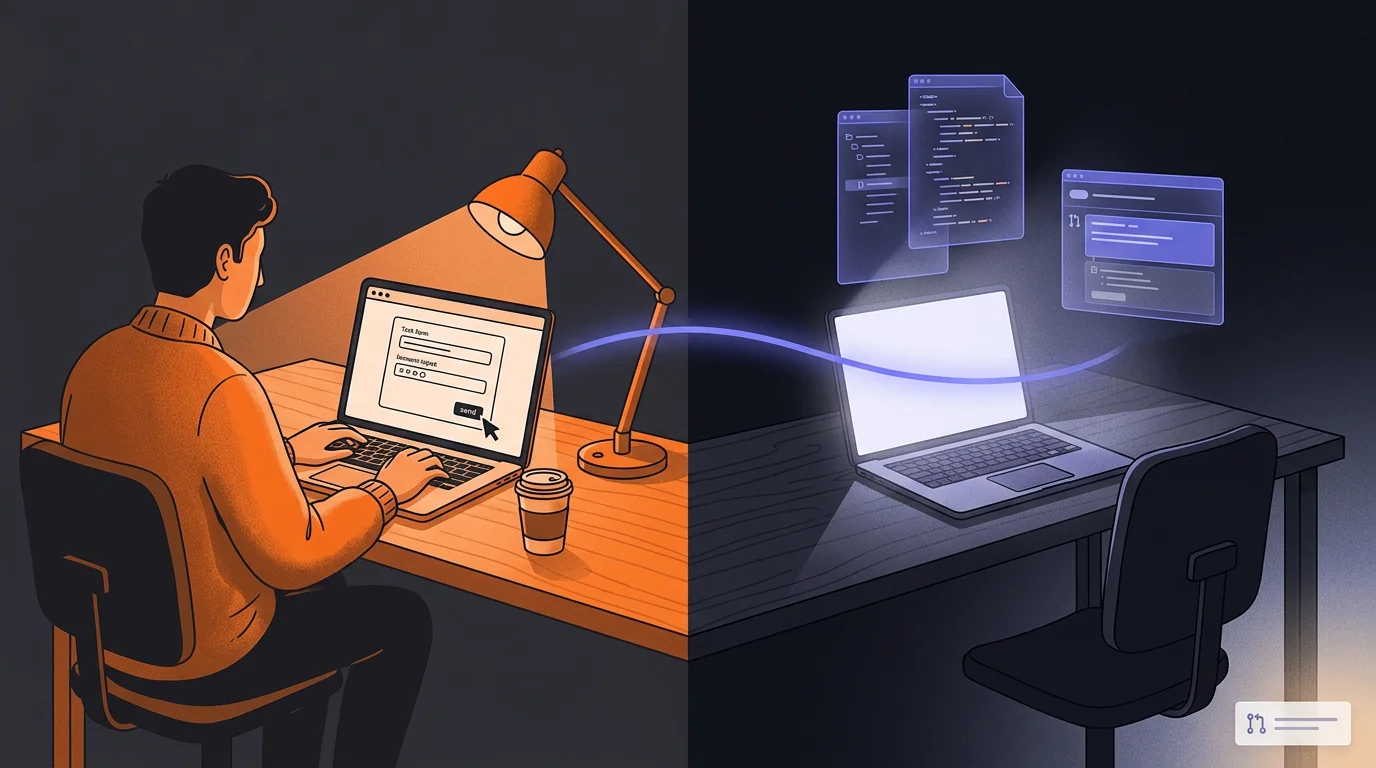
Google Jules: The AI Agent That Works While You Sleep
Jules takes a different approach to agentic coding — async, browser-native, zero setup. Here's where it fits, what it's genuinely good at, and when to reach for it instead of Claude Code.
 Fabian Mösli
 Reading Preferences
Key Takeaways
- • Jules is async and browser-native. There's no terminal setup, no app to install, nothing to monitor. You brief a task in the browser, Jules works in the background, and you come back to review and merge a GitHub pull request.
- • The Palette nightly agent is the feature I'd try first. Once you enable it, it runs every night and opens one accessibility or usability fix as a PR, so your site quietly gets better while you do nothing.
- • It's handy from a phone for quick content edits, and it's a useful backup pool of capacity (running on Gemini) when you hit your Anthropic weekly token limits.
In this guide
If the Claude Code guide left you excited but slightly intimidated by the apps to install, the GitHub to learn, the curve to climb, Jules is worth knowing about. It doesn’t replace Claude Code. It’s a completely different posture.
Jules is async. You describe a task, Jules works on it in the background, and you come back to a result. No watching it work in real time, no steering mid-task, no terminal, no installation. Just a browser, your GitHub repository, and a pull request waiting for your review when Jules is done.
That might sound like a limitation. In practice it’s often exactly what you need.
How the workflow actually works
The Jules workflow has three steps:
Assign. Open Jules in your browser, connect it to your GitHub repository, and describe what you want. “Add a FAQ section to the contact page.” “Check for broken links across the site.” “Update the pricing information on the tools page.” Plain language, specific enough that Jules knows what done looks like.
Wait. Jules works in the background. You don’t need to keep the tab open. Go do something else.
Review. Jules opens a pull request on your GitHub repository. The review includes a description of what changed, the actual file diffs (exactly like reviewing a PR on GitHub), and depending on the task, sometimes screenshots or a Playwright-generated video showing the change in action. If your site has a preview deployment set up — as this site does with Cloudflare Pages — you’ll also get a live preview link to check the change before merging.
Approve it and merge. Discard it if something’s off. That’s the loop.
The async nature means Jules fits into a different part of the day than Claude Code. You don’t sit with it. You brief it and check back on it later.
The killer feature: Palette
This is the thing I’d tell anyone to try first.
When you set up Jules, one of the pre-configured options in the onboarding is a nightly cron job powered by an agent called Palette — a UX and accessibility specialist. Every night, Palette runs against your repository, finds one way to improve the accessibility or usability of your site, and opens a pull request with the fix.
One suggestion per night, as a concrete change rather than a report. A pull request you can review and merge in two minutes.
I’ve been running this on goodaiguide.com and the accessibility score has gone up continuously — not through a big sprint, but through small, steady improvements I mostly wouldn’t have thought to make myself. Missing ARIA labels, contrast ratios that are technically fine but could be better, focus states that work but aren’t obvious. The kind of thing that gets skipped when you’re building features.
You can set it up in the Jules onboarding in about five minutes. After that, you review a PR every morning or ignore it if you’re busy. There’s no maintenance, no active effort. The site just slowly gets better.
If you build a site and do nothing else with Jules, run Palette. It earns its keep.
Using Jules from your phone
The phone workflow is the other place Jules really pays off.
Because it’s browser-only and async, there’s nothing to manage when you’re on a small screen. Open Jules in a mobile browser, pick your repository, type a task. Come back later and merge the PR.
I use this for content changes on the go — adding a resource entry while I’m thinking about it, updating copy that I noticed was off, adding a new page I’ve been meaning to create. The task goes to Jules, Jules works, I review and approve when I’m back at a laptop or whenever I get around to it.
The phone isn’t a great environment for reviewing complex code changes, but for content and straightforward edits the PR diff is readable enough. And if you have a preview link in the PR, you can check the result in your phone’s browser before merging.
Quality and what Jules can handle
Jules runs on Google’s latest Gemini model if you have a Google One AI Premium subscription. The quality is good — better than I expected for a relatively new product. It can handle projects that are more complex than just simple content edits.
The constraint isn’t model quality, it’s tooling. Jules is browser-only and has fewer connectors than Claude Code or Antigravity. There’s no native access to your local environment, fewer integrations, and while MCP support exists, it’s currently in beta. Think of it as a lean version of the agentic toolkit — capable within its scope, but that scope is narrower than Claude Code’s.
For most website maintenance tasks, that scope is plenty. For complex, multi-system engineering work, you’ll want Claude Code.
Jules also has a Render integration — if you’re using Render for hosting or backend services, you can monitor and trigger Jules agents directly from the Render dashboard. Worth knowing if that’s part of your stack.
Where Jules earns its keep: a generous extra token budget
Jules isn’t my primary tool. For serious work on this site, I reach for Claude Code. But Jules has earned a real place in my workflow for two specific reasons.
First, Palette. The nightly accessibility loop is genuinely valuable and requires nothing from me beyond reviewing PRs.
Second, token overflow. If you’re a heavy Claude Code user, you’ll hit weekly token limits during active periods. Claude Code stops, and you can’t do much about it except wait. Jules, included with Google One AI Premium, gives you a separate pool of capable AI capacity that isn’t connected to your Anthropic limits. When I’ve burned through my Claude Opus budget mid-project, Jules has been a useful place to keep things moving on lower-stakes tasks.
Neither of those is the headline use case Google would probably pitch. But they’re the real ones, for me.
Getting started
The shortest path:
- Go to jules.google.com and sign in with your Google account
- Connect your GitHub repository
- In the onboarding, enable the Palette nightly cron job
- Try one manual task to see what the review flow feels like
The Palette setup takes about five minutes and pays dividends immediately. The manual task teaches you how the review/merge workflow works, which you’ll want to understand before relying on it.
Jules works best when it’s already connected to the same repository you’re building with Claude Code. You don’t have to choose between them. Jules runs in parallel, on its own schedule, with its own separate pool of capacity.
If you haven’t set up the GitHub + Cloudflare Pages foundation yet, start with the guide to building a free website with AI. For the full interactive agentic experience, see the Claude Code guide.
Published: 2026-03-23
Last updated: 2026-07-01